
SEMrush Position Tracking: Simple Setup Guide (2026)
SEMrush position tracking is how you find out whether your SEO is actually working.
Most beginners publish content, wait a few weeks, then either check rankings manually by searching Google or just assume things are moving. Neither works. Manual searches are skewed by your own browsing history and location. Assumptions are just guesses with extra steps.
SEMrush position tracking removes both problems. You tell it which keywords matter, set your target location, and it checks your exact Google ranking for each keyword every single day. This guide walks through setup, explains what the data means, and shows what to look for once you have a baseline running.
If you’re working through the platform for the first time, the SEMrush for beginners guide covers the full overview before diving into individual tools.
What is SEMrush position tracking?
SEMrush position tracking is a rank monitoring tool that checks where your website appears in Google’s search results for a list of keywords you choose, then logs those positions daily so you can track movement over time. It covers desktop and mobile rankings separately, across any country, region, or city you target.
The key difference from a one-off keyword check is the history. A single ranking tells you where you are today. A position tracking trend tells you whether you’re climbing, dropping, or stagnating, which is the only version of the data that tells you anything useful about whether your strategy is working.
How to set up SEMrush position tracking
Setting up a campaign takes roughly ten minutes the first time. Here’s the exact sequence:
- Open your project in SEMrush and click Position Tracking.
- Click Set Up Position Tracking if it’s your first campaign for this domain.
- Set the search engine to Google and the device to Desktop to start. You can add Mobile as a separate campaign later.
- Set your target location. For most blogs targeting a broad audience, choose your primary country. For local businesses, go down to city level.
- Add your target keywords. Start with 15 to 20, a mix of keywords you already have content for and keywords you’re planning to create content for soon.
- Click Start Tracking.
SEMrush begins pulling ranking data immediately, but the first full dataset usually takes 24 hours to populate. Check back the following day for your starting baseline.
What keywords to add to position tracking
This is where most beginners go wrong. They add every keyword from their research list, end up with 200 terms to watch, and can’t see meaningful signal in the noise.
Add keywords in three categories only:
Published content keywords. The primary keyword for every post that’s already live on your site. These are the rankings you can actually influence right now by improving the content.
Near-published keywords. Keywords for content you plan to publish in the next 30 days. Adding them before the content goes live gives you a clean before-and-after picture of what the post achieves.
Brand keywords. Your site or brand name. This tracks direct searches for you specifically and catches any sudden drops caused by technical issues.
Leave everything else out for now. The goal is tracking what you can act on, not cataloguing every term in your niche.
How to read your SEMrush position tracking data
The overview dashboard
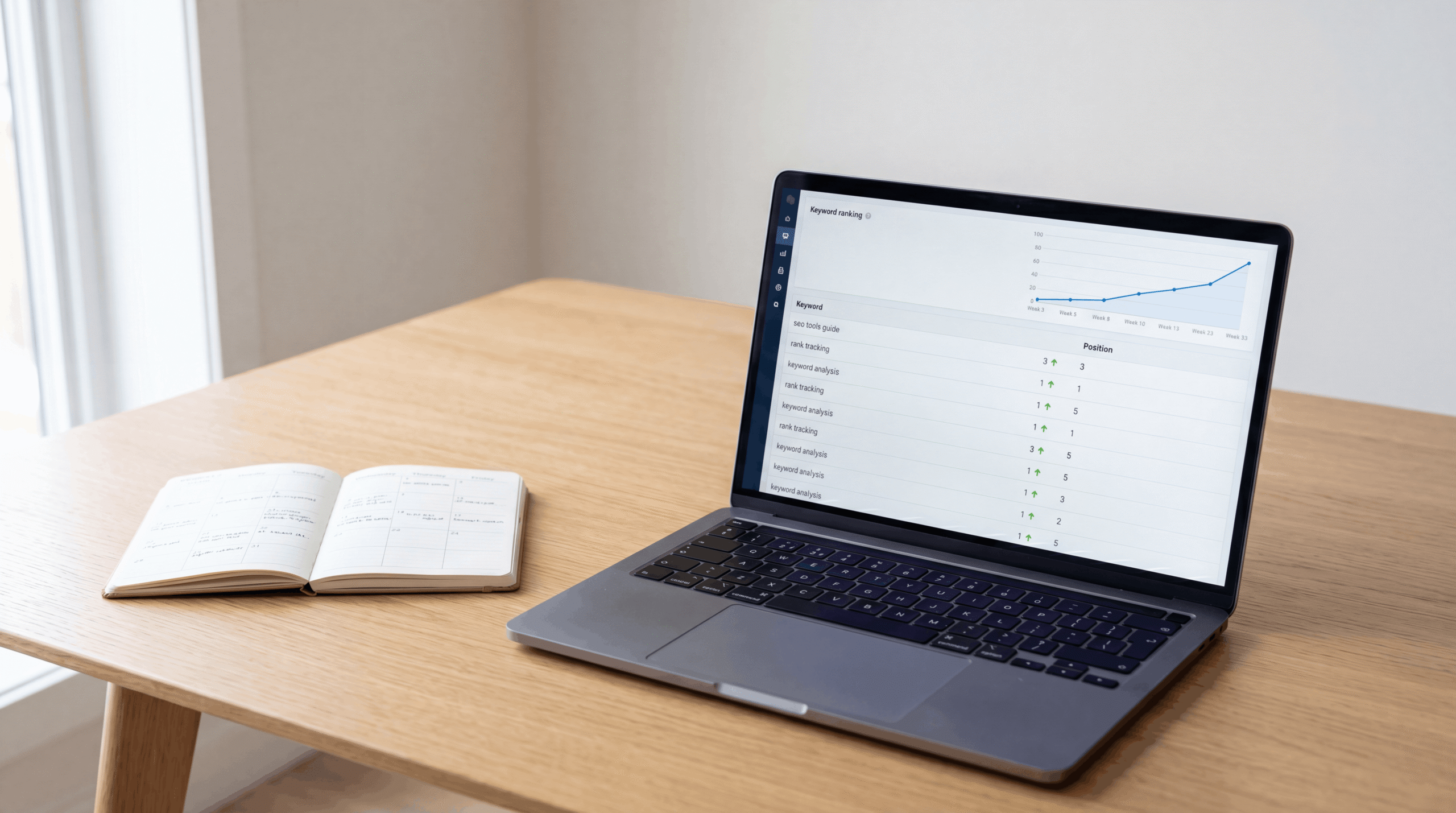
The main view shows your tracked keywords with their current position, the change since the previous day, and the change over the period you’ve selected. Green arrows mean rankings moved up. Red arrows mean they dropped.
Don’t check this daily in the first month. Rankings fluctuate naturally in the first few weeks after a post goes live, and small day-to-day swings mean almost nothing. Check weekly and look at the trend over four to eight weeks instead.
Visibility score
Visibility is the metric that matters more than any individual keyword position. It measures the percentage of all possible clicks you’re capturing across your entire tracked keyword set, weighted by search volume.
A low visibility score on a high-volume keyword matters more than a low score on a keyword barely anyone searches. So this number captures overall search presence better than looking at individual rankings in isolation.
Share of voice
Share of Voice compares your visibility against your competitors for the same keyword set. So if your Share of Voice is climbing while a competitor’s is dropping, you’re taking their traffic. That’s a cleaner signal of progress than rankings alone.
What counts as good progress in position tracking
A common beginner mistake: checking rankings after two weeks, seeing a post sitting at position 45, and concluding the SEO isn’t working. That’s not how it works.
New content from a new domain typically takes 8 to 16 weeks to reach a stable ranking. Google’s process isn’t linear either. Posts often appear briefly in positions 20-40, then drop back to 60-80 as Google re-evaluates, then climb again if users engage with it. This is normal and expected.
What to look for instead:
Any ranking at all in weeks 1 to 4, even position 90 means Google found and indexed the page. That’s the starting line.
Movement from 50-90 into 20-50 in weeks 4 to 8. This means Google is starting to trust the content. Keep the post as-is and don’t make changes that reset the evaluation clock.
Movement from 20-50 into the top 10 over weeks 8 to 16. If this happens, that’s a genuinely ranking page. Now it’s worth investing in improvements: more internal links pointing to it, a content refresh if competitors have better answers, and promotion to earn backlinks.
SEMrush position tracking vs Google Search Console
Both tools show keyword ranking data. They’re not the same and they’re not replacements for each other.
Google Search Console shows the average position your pages appeared at across a date range, based on actual Google data. But it averages across all searches for a query, across all users and locations, so the number can look different from what you see in a manual search.
SEMrush position tracking checks rankings from a fixed location and device you specify, on a daily basis, so you see exactly what a user in that location would see. It also tracks competitors’ rankings for the same keywords simultaneously, which GSC can’t do.
Use both. Google Search Console for understanding actual impressions and clicks from real users. SEMrush position tracking for daily movement and competitive comparison.
How often to check and when to take action
Weekly checks are enough for the first three months. More than that and you’re reacting to noise, not signal.
Set a calendar reminder every Monday. Open Position Tracking, look at the week-over-week change for your top 10 keywords by volume. Note any meaningful movers (5+ position change in either direction). That’s your whole weekly SEO check-in.
Take action when a keyword sits in position 11 to 20 for more than 8 weeks. That’s the page-one boundary and a post close to it deserves attention. Add more internal links to it, make sure the content fully answers what the keyword asks, and consider a content refresh if competing pages are more thorough.
Frequently asked questions
What is SEMrush position tracking?
SEMrush position tracking is a tool that monitors your website’s daily keyword rankings in Google for a list of keywords you choose. It tracks position changes over time, separates desktop from mobile rankings, and lets you compare your rankings against competitor domains for the same keywords.
How does SEMrush track keyword rankings?
SEMrush simulates a Google search from the location and device you specify, records where your domain appears in the results, and logs that position daily. It isn’t pulling data from Google directly but from its own crawler running regular checks.
How often does SEMrush update keyword rankings?
Daily, for paid plans. Results typically refresh once every 24 hours so the data you see reflects roughly yesterday’s rankings, not real-time positioning.
Is SEMrush rank tracking accurate?
Accurate enough for trend analysis and decision-making. Because it checks from a fixed location and device rather than averaging across all searches, it can differ from Google Search Console data. Use it to track direction and competitor comparison, not as an exact measure of every user’s experience.
What is Share of Voice in SEMrush?
Share of Voice is your percentage of all possible clicks across your tracked keyword set, compared against your competitors. It captures overall search visibility better than individual rankings because it weights keywords by their search volume. A rising Share of Voice means you’re capturing more of your target audience over time.
Can SEMrush track local keyword rankings?
Yes. During setup you can specify a country, region, state, or city for your tracking campaign. Local businesses targeting a specific city should set tracking at that level rather than a broad national setting, because rankings can differ significantly by location.
How many keywords can SEMrush track?
The Pro plan at $139.95 a month includes 500 keyword tracking slots across all projects. Guru at $249.95 a month raises this to 1,500. For a new blog tracking 15 to 20 keywords per post, the Pro plan is enough for the first year.
Once your rankings start moving, the next step is understanding how your site compares technically to the pages you’re climbing toward. The SEMrush site audit guide covers the technical side of that picture.


Good