Google Search Console vs Google Analytics (2026)
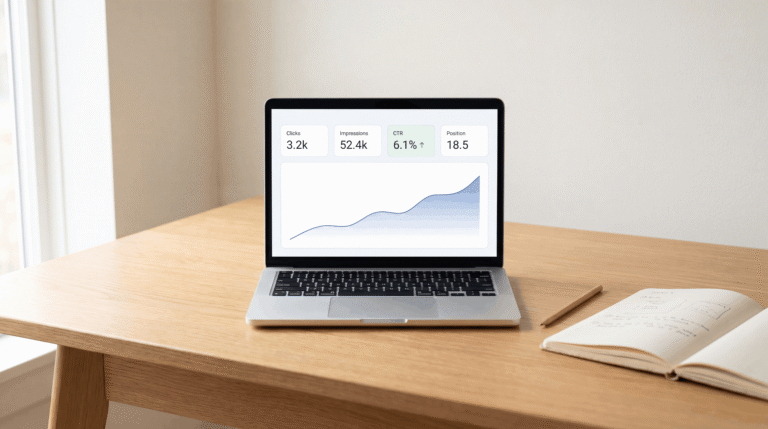
Open Google Search Console. It says your post got 480 clicks last month. Open Google Analytics for the same period. It says 290 sessions from organic search.
Same website, same date range, same traffic source. Two different numbers, and neither tool is broken.
This happens to almost everyone who runs both tools. Most explanations stop at “they measure different things” without saying why that gap can run 30 to 50% wide. Or which number you should actually trust when reporting results.
If you haven’t set GSC up yet, the Google Search Console for beginners guide covers that first.
Google Search Console vs Google Analytics: what each one actually counts
Google Search Console counts a click the moment someone clicks your result on a Google search page. That click is logged on Google’s servers, before the visitor’s browser has even started loading your site.
Google Analytics counts a session only after its tracking code runs successfully inside that visitor’s browser. If the page never loads, if the visitor closes the tab early, or if their browser blocks the tracking script, GA4 never sees them. GSC already counted them.
So one number is captured at the moment of intent. The other is captured at the moment of confirmed arrival. Every reason the numbers diverge traces back to that single distinction.
The reason almost nobody explains properly: Consent Mode v2
This is the biggest driver of the gap in 2026, and most comparison posts barely mention it.
Since Google rolled out Consent Mode v2, GA4 has been required to remove session data for any visitor who declines cookie consent. If someone in the EU, UK, or another privacy-strict region clicks your result and declines the cookie banner, GA4 drops that session entirely.
GSC doesn’t do this. It logs the click at the search results level, before any cookie banner exists, so consent has no effect on the number. On sites with a meaningful EU or UK audience, this single factor alone can create a 30 to 50% gap between clicks and sessions. Sites with mostly mobile traffic tend to see this even more, since mobile users decline consent banners at a higher rate than desktop users.
If your gap has gotten noticeably wider over the past year and nothing else changed, Consent Mode v2 is very likely the reason.
Google search console clicks vs google analytics sessions: the core mismatch
This is the comparison people search for specifically, and it deserves its own clear answer.
A click in GSC means: someone saw your result and clicked it. That’s the entire definition. It doesn’t require the page to load, the visitor to stay, or anything to happen afterward.
A session in GA4 means: a visitor’s browser successfully ran the tracking code and generated at least one interaction. That requires the page to load, JavaScript to execute, and (since Consent Mode v2) the visitor to have accepted tracking.
Practically, this means GSC clicks will almost always be higher than GA4 sessions for the same traffic. If you ever see the reverse, GA4 sessions higher than GSC clicks, that’s a flag. Usually bot traffic inflating your numbers, or a referral chain GA4 misread as organic search.
The five other reasons the numbers diverge
Beyond Consent Mode v2 and the click-versus-session distinction, five smaller factors add to the gap.
Time zone differences. GSC reports everything in Pacific Time. GA4 reports in whatever time zone you configured for your property. A click at 11:30 PM Pacific can land in a different calendar day depending on which tool you’re checking. That skews daily comparisons even when monthly totals are close.
The 1,000-row limit in GSC’s interface. The Performance report only displays up to 1,000 rows of query or page data in the standard view. Sites with thousands of ranking pages won’t see their full picture without exporting via the API. GA4 doesn’t have this limit.
Ad blockers and tracking blockers. Browser extensions that block GA4’s tracking script have no effect on GSC. GSC doesn’t rely on anything running in the visitor’s browser at all.
Bounce-before-load behavior. A visitor clicks your result, sees the page start to load, then hits back before it finishes. GSC counts that click. GA4 misses it entirely, since the tracking code never finished executing.
Bot and crawler traffic. GSC filters most bot clicks before they reach your reports. GA4 has its own bot filtering, but the two systems use different criteria, so a small portion of automated traffic can show up differently in each tool.
Which number should you actually trust?
Neither number is wrong. They’re answering different questions, so the right move is matching the number to the decision you’re making.
Trust GSC for: understanding search visibility and tracking keyword rankings. Use it when the question is simply “did people click my result.”
Trust GA4 for: understanding what visitors do after they arrive, conversion tracking, engagement metrics, time on page, and any reporting where the question is “what happened on my site.”
If you’re reporting traffic results to a client or manager, state both numbers and explain the gap rather than picking one and hoping nobody asks. “We got 480 search clicks, and 290 of those visitors triggered a tracked session” is a more accurate and more credible statement than either number alone.
How to connect Google Analytics to Search Console
Linking the two tools doesn’t fix the discrepancy, but it lets you see search query data directly inside GA4 reports, which is genuinely useful for combined analysis.
In Google Search Console, go to Settings, then Associations, then Google Analytics. Select your GA4 property and confirm the link. It usually takes effect within a day.
Once linked, you can see which search queries led to specific GA4 conversion events, which is something neither tool shows on its own.
Frequently asked questions
Is Google Search Console the same as Google Analytics?
No. GSC measures how your site performs in Google Search results specifically, including clicks, impressions, and rankings. GA4 measures visitor behavior across your entire site after they arrive, regardless of traffic source. They serve different purposes and were never designed to show matching numbers.
What is the difference between search console and Google Analytics?
GSC tracks pre-visit search behavior: what people searched, whether they clicked, and where you ranked. GA4 tracks post-visit behavior: what pages they viewed, how long they stayed, and what actions they took. GSC only covers Google organic search. GA4 covers all traffic sources including direct, social, and paid.
Why are Google Search Console clicks higher than Google Analytics sessions?
Because GSC counts a click the moment someone clicks your search result. GA4 only counts a session after its tracking code successfully runs in the visitor’s browser. Cookie consent declines under Consent Mode v2, ad blockers, and visitors who leave before the page loads all get counted by GSC but missed by GA4.
Can Google Search Console and Google Analytics ever match exactly?
No, and they’re not designed to. Even with perfect tracking setup, the fundamental difference between a search-result click and a confirmed browser session means some gap will always exist. A gap under 20% is generally considered normal. Anything beyond 40 to 50% is worth investigating for tracking issues.
How do I link Google Analytics to Search Console?
In Search Console, go to Settings, then Associations, then select Google Analytics, then choose your GA4 property. This lets you view search query data inside GA4 reports, though it doesn’t change either tool’s underlying numbers.
Does Consent Mode v2 affect Google Search Console data?
No. Consent Mode v2 only affects Google Analytics, since GSC logs clicks at the search-results level before any cookie consent decision happens on your site. That’s exactly why GSC numbers have stayed relatively stable while GA4 numbers have dropped for many EU and UK-facing sites since the rollout.
For the broader picture of how GSC fits alongside other tools in your SEO stack, the Google Search Console vs SEMrush guide covers when to reach for which tool.